Earthquest
Rate this game
- Played
- Rarely
Earthquest drops you into the shoes of an alien starship crew scanning our planet from orbit, cataloging continental landmasses, ecological systems, and human history through a stack of interactive screens. Created by Earthquest Inc. in Palo Alto, this 1991 title tries to turn an entire geography library into a software module for home PCs.
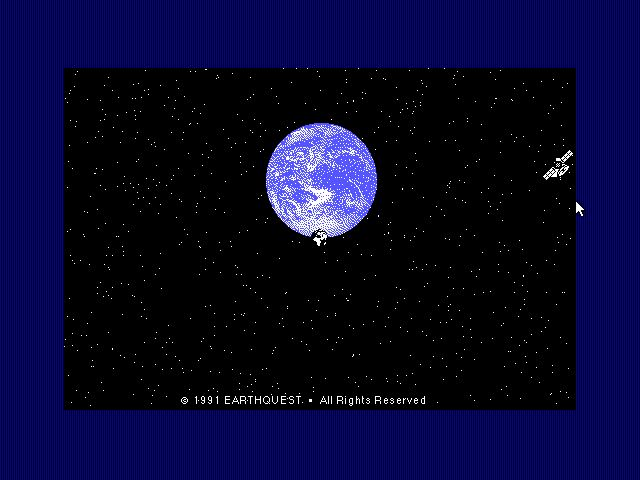
Framing the world through alien eyes in Earthquest
The framing story setup is straightforward: your ship hovers above Earth, and your primary mission is to collect data on human society and physical geography before returning to deep space. Instead of controlling an avatar or driving a vehicle around the planet, you interact with four broad categories: Earth, Journey, Environment, and World Tour. Each section branches off into detailed subsections covering everything from atmospheric cycles to artistic progress across historical timelines.
Choosing the Earth category breaks down the physical properties of the planet into soil, water, air, and life forms, while the Environment section focuses on ecocycles and environmental stress points. The Journey section acts as a human timeline, cataloging national borders, technological progress, and creative movements. Finally, World Tour divides the globe into six distinct continents (North America, South America, Europe, Africa, Asia, and Oceania) for regional exploration.
For an educational game from 1991, the raw volume of factual copy packed onto a pair of floppy disks is staggering. You spend most of your time clicking through text cards, reading paragraphs about global hydrology or medieval nation building, and studying continent maps rendered in solid EGA color palettes.
HyperCard on DOS brings Macintosh menus to EGA screens
If the visual layout feels unfamiliar for an MS-DOS program from this period, that is because the software began its life on Apple Macintosh hardware. The developers imported the entire software architecture straight from HyperCard stacks, keeping the classic Mac button layouts, index sidebars, and stack-switching buttons intact, even after adapting the displays to IBM PC graphics standard cards.
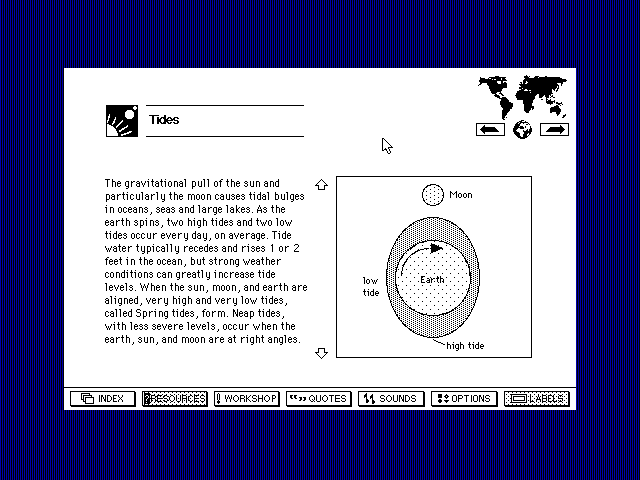
That Macintosh ancestry is responsible for both the program's efficiency and its biggest usability headaches. On one hand, moving between deep topics feels familiar if you have ever clicked through hypertext decks, letting you jump from ocean currents straight to European history with a single cursor tap. On the other hand, the text rendered inside these ported window frames uses a tiny pixel font that strains the eyes after twenty minutes of reading on a CRT display.
Because the MS-DOS game retains card-stack logic, backing out of a deep sub-topic requires retracing your steps through multiple sub-menus rather than pressing a single Escape key. The mouse pointer glides across EGA visuals smoothly enough, but hunting for tiny navigation arrows inside dense text boxes makes browsing far more tedious than it needs to be.
Tracking points in the Control Center and Mystery World Tour
Beyond reading database entries, the program tests how much planetary knowledge you actually retained through interactive quiz modes. The primary testing hub is a mini-game called Mystery World Tour, designed for either one player or two players taking turns at the keyboard across three selectable difficulty levels.
During a round of Mystery World Tour, the main display shows a world map peppered with interactive question marks over specific landmasses. Selecting a marker opens a pop-up prompt asking multiple-choice or true-false questions about that region. Correct answers score points based on your chosen difficulty level, while incorrect guesses dock points from your total before handing the turn to your opponent.
- Four distinct category hubs: Earth, Journey, Environment, and World Tour.
- Interactive globe maps with clickable regional trivia targets.
- Multiple-choice and true-false question pools tailored to continent topics.
- Hidden mini-game options locked behind the ship Control Center menu.
Curiously, two of the software's four available mini-games are entirely hidden inside a secondary menu labeled the Control Center. If you stick strictly to the primary navigation tabs, you will completely miss half of the entertainment modes included on the disk. Discovering them requires poking around the top menu bar, where the software tucks away extra scoring challenges outside the main World Tour loop.
Sharp questions and clumsy stacks make learning hard work
The biggest roadblock in this software is not a lack of content, but how hard the quiz questions hit without warning. The trivia pools do not stick to broad high-school geography: they throw specific dates, localized political boundaries, and exact scientific definitions at you right from the first round. Missing three obscure questions in a row can wipe out your point tally fast, turning a casual study session into a grueling exercise in trial and error.
Publisher Earthquest Inc. planned to build an entire series of educational software around this database engine, but those plans never materialized beyond this initial release. The software suffers from a classic PC porting trap: it forced a mouse-driven Macintosh user interface onto DOS without retooling the font sizes or menu structures for standard PC display hardware.
Compared to rival reference titles of the early nineties, like Where in the World Is Carmen Sandiego?, this entry trades animated flair and character comedy for dense academic text. It functions far better as a digital almanac than an entertaining game, but players who enjoy harsh trivia challenges will find plenty of material to test their memory.
How to experience Earthquest online today
You can play Earthquest free in your browser right now without downloading disk images or setting up custom MS-DOS emulators. The interface mouse controls map directly to your browser cursor, letting you hop straight into the extraterrestrial survey ship without key-mapping setup.
When you start your first session, head straight to the Control Center tab on the top menu bar before diving into the main categories. Most first-time players miss the extra trivia mini-games hidden inside the ship control menus because the main screen directs you toward the database cards first. Launching Mystery World Tour directly from the setup menu lets you test your global knowledge right away without getting lost in tiny font sub-menus.
How Earthquest is played — the keys the game listens to, grouped by what they do.
- Interface
- Left click — Select options and navigate interface
Highlighted keys are mapped — hover or tap one to see what it does.
The game requires a mouse driver to be loaded. Keyboard character keys are used for typing text responses in quizzes.
Players' controls
Touch and gamepad controls
The on-screen keyboard and gamepad mapping the browser player uses on a phone, a tablet or a controller, as opposed to the real keys above. $PRO members make their own in the player and share them here; anyone can pick one to play with.
Make your own touch controlsPRO
- 1Open the editorSign in below, then pick what to make. The game starts with the editor open over it.
- 2Place your keysAdd keys and drag them where your thumbs rest, or map a controller's buttons. Test plays the game with them; Save keeps them, and you play with them from then on.
- 3Share themShare them right after saving in the game, or name and share them here. Players vote, and the best become this game's controls for everyone.
Go PROSee how it worksSign in+20 XP for sharing · +50 XP if yours become the game's own
- The game's own controlsKeyboardGamepadWhat every player starts with.In use
2 screenshots
From the archive
No reviews yet
Tell the community what you think of Earthquest. Reviews are public and tied to your username.
No archived manuals for Earthquest yet
No manuals archived for this title yet. Sign in to upload the first scan.
Cheat codes, console commands and memory pokes for Earthquest — each one verified and attributed.
Sign in to submitNo cheats yet for this title
Know a working cheat, poke or trainer? Add it with the button above. Moderators check every entry before it goes live.
No archived soundtrack for Earthquest yet
No soundtrack archived for this title yet. Sign in to upload the first rip.
No save states for Earthquest yet
No save states for this title yet. Sign in to share one.
Discussions
Sign in to post- Threads0
- Total posts0
- Online now6
Community · Earthquest
Who's contributing, and what's new
- Reviews0
- Threads0
- Uploadsapproved0
- Contributors0
Recent activity