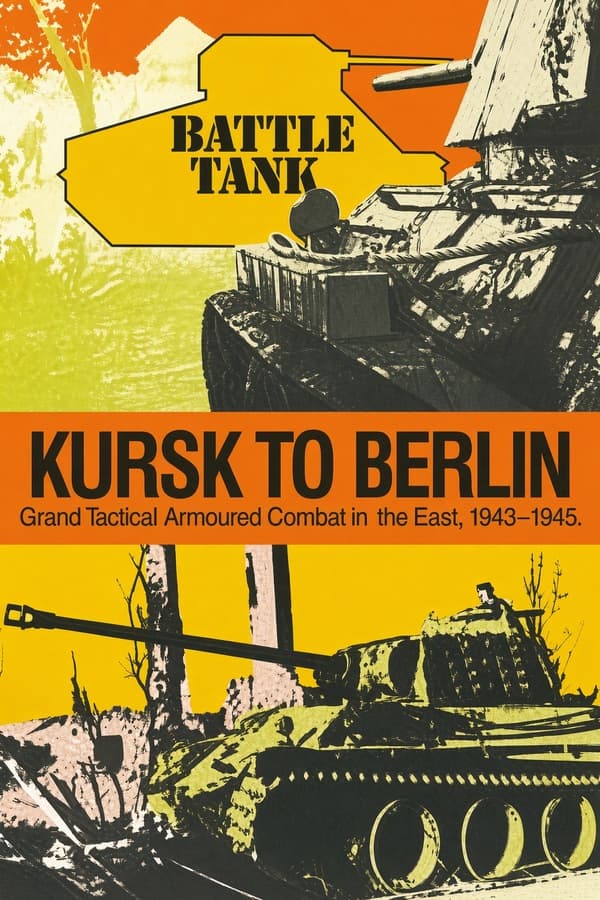
Battle Tank: Kursk to Berlin
Rate this game
- Played
- Often
Battle Tank: Kursk to Berlin strips away graphics entirely to deliver a dense, command-line wargame where every operational decision on the Eastern Front is typed directly into text prompts.
Commanding steel through text menus
Most military games from 1990 relied on visual grids to show unit positions, but designers Stephen Newberg and Stephen St. John chose a radically different path. In Battle Tank: Kursk to Berlin, you do not steer an individual tank or watch sprite explosions on a hex map. Instead, you sit at a text-driven command screen entering operational orders as a high-level commander overseeing armored divisions on the Eastern Front between June 1943 and May 1945.
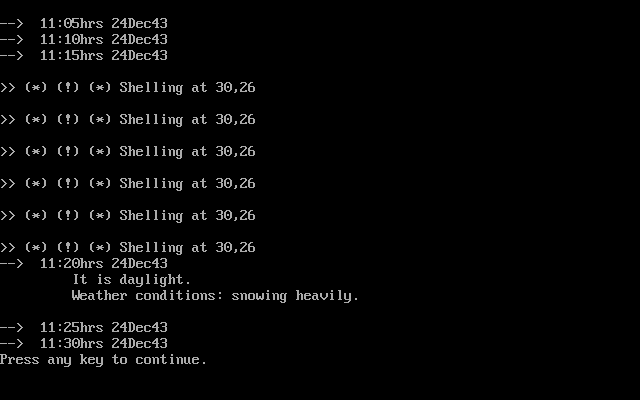
The interface forces you to rely on text readouts and menu selections to track front-line shifts, fuel reserves, and unit strength. Because there is no tactical map showing terrain or real-time movement, your main job is calculating risk based on status reports. You enter typed instructions to deploy regiments, shift supply lines, and push offensive pushes from the muddy engagements at Kursk all the way to the final assault on Berlin.
Why Battle Tank: Kursk to Berlin demands cold calculation
The operational logic here continues the foundation laid in its predecessor, Battle Tank: Barbarossa to Stalingrad. The fundamental challenge comes down to incomplete information. Without a visual map, you have to mentally track unit placements and counter-attacks based solely on written summary logs that scroll past your prompt.
Making a decision in this environment is a deliberate exercise in arithmetic and supply management rather than fast reflexes. A typical operational turn requires you to weigh several critical factors before giving an order:
- Calculating armor readiness and operational fuel levels before launching an armored push.
- Deciding whether to commit reserve formations or hold them to blunt counter-attacks.
- Reading combat outcome reports to evaluate sector fatigue without a visual battlefield.
A single miscalculated command can ruin an entire sector. Pushing an armored unit forward without adequate supply buffers leads to sudden attrition, leaving your lines open to counter-thrusts that you only discover on the next text readout.
The deliberate trade-offs of text-only wargaming
The primary flaw in Battle Tank: Kursk to Berlin is also its defining feature: the total lack of visual feedback. Players used to traditional map-based wargames will find the endless text prompts tedious, especially when trying to visualize complex multi-divisional flanks. Finding your footing takes real patience because the game expects you to maintain the spatial mental model that a graphic layout normally provides.
For anyone into raw statistics and logistics, the minimalist framework holds up. By skipping graphics completely, it forces you to deal entirely with unit readiness, supply lines, and combat fatigue. It took a different path from most 1990 releases, handing you a pure exercise in operational decisions.
How to play Battle Tank: Kursk to Berlin online today
If you want to experience how Simulations Canada translated high-level tank operations into pure command prompts, you can play simulation games like this right in your web browser. There is no software to install or system setup required to jump straight into the DOS prompt.
You can launch this classic Stephen Newberg, Stephen St. John creation and start issuing operational commands immediately. When you open the game for the first time, take a minute to study the command menu syntax before advancing your first division toward the front lines.
Players' controls
Touch and gamepad controls
The on-screen keyboard and gamepad mapping the browser player uses on a phone, a tablet or a controller, as opposed to the real keys above. $PRO members make their own in the player and share them here; anyone can pick one to play with.
Make your own touch controlsPRO
- 1Open the editorSign in below, then pick what to make. The game starts with the editor open over it.
- 2Place your keysAdd keys and drag them where your thumbs rest, or map a controller's buttons. Test plays the game with them; Save keeps them, and you play with them from then on.
- 3Share themShare them right after saving in the game, or name and share them here. Players vote, and the best become this game's controls for everyone.
Go PROSee how it worksSign in+20 XP for sharing · +50 XP if yours become the game's own
- The game's own controlsNone yet: played with a real keyboard only.In use
2 screenshots
From the archive
No gameplay video yet
No gameplay video for Battle Tank: Kursk to Berlin yet. Sign in to add one.
No reviews yet
Tell the community what you think of Battle Tank: Kursk to Berlin. Reviews are public and tied to your username.
No archived manuals for Battle Tank: Kursk to Berlin yet
No manuals archived for this title yet. Sign in to upload the first scan.
Cheat codes, console commands and memory pokes for Battle Tank: Kursk to Berlin — each one verified and attributed.
Sign in to submitNo cheats yet for this title
Know a working cheat, poke or trainer? Add it with the button above. Moderators check every entry before it goes live.
No archived soundtrack for Battle Tank: Kursk to Berlin yet
No soundtrack archived for this title yet. Sign in to upload the first rip.
No save states for Battle Tank: Kursk to Berlin yet
No save states for this title yet. Sign in to share one.
Discussions
Sign in to post- Threads0
- Total posts0
- Online now6
Community · Battle Tank: Kursk to Berlin
Who's contributing, and what's new
- Reviews0
- Threads0
- Uploadsapproved0
- Contributors0
Recent activity
Nothing here yet
Reviews, discussion threads and approved uploads appear here as members add them.