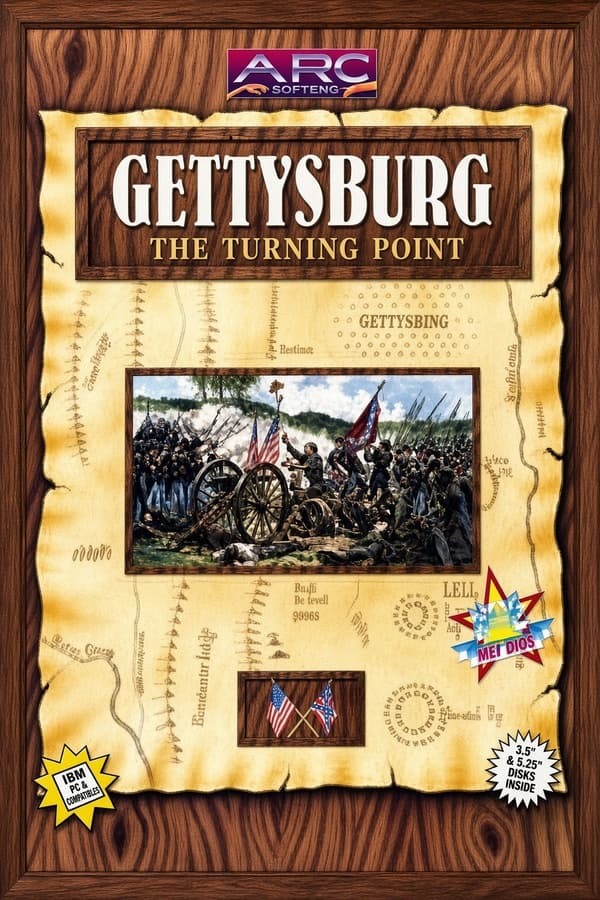
In Charles Dollins's 1993 shareware title Gettysburg, winning the American Civil War comes down to mastering a hex map on your numeric keypad with Num Lock firmly toggled on.
Wargames built for PC displays in the early 1990s usually fell into two camps. They were either monstrous commercial beasts with heavy ring-bound manuals or modest shareware releases passed around on magnetic floppy disks. Charles Dollins released his digital take on Gettysburg in 1993 as shareware, aiming straight at armchair generals who wanted turn-based tactics without complex installation routines.
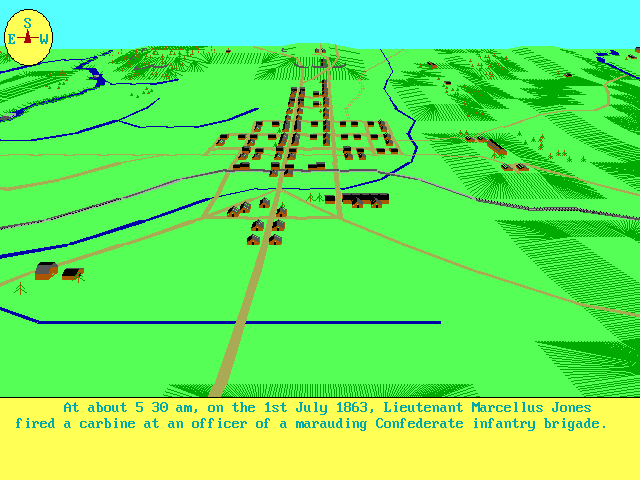
You take command of historical forces across the famous three-day clash in Pennsylvania. The game places you on a top-down battlefield rendered as a hexagonal grid. You only see a portion of the map at any single moment, which forces you to keep track of where your reserves are waiting behind the front line.
The core loop focuses entirely on positional play and unit management. Each full turn represents 30 minutes of actual battle history. Rather than letting you select units freely with a mouse cursor, the engine cycles through your active forces segment by segment, highlighting each unit in sequence when its time arrives to act.
If you launch this title expecting standard point-and-click movement, you will instantly hit a wall. The interface relies entirely on the keyboard. To command your active regiment, you must keep the Num Lock key engaged and use the number pad as a directional pad.
Movement directional inputs map logically across six keypad keys to match the hexagonal grid standard:
Every active unit gets up to four hex moves per turn. If a unit is already in position and you want to conserve its strength, hitting the 5 key ends its movement early. Pressing the period key skips the current unit so you can revisit its tactical options at the end of the phase.
The screen clutter is kept low, but the essential data sits in the corners of the viewport. The upper left corner displays your unit identification number, while the upper right displays current unit strength. Watching that strength counter tick down during an ill-advised advance tells you everything you need to know about your strategic errors.
Combat in this Charles Dollins release is direct and unforgiving. You do not fire ranged bombardments across long distances with complex ballistics calculations. Instead, you attack enemy formations by moving directly adjacent to them and attempting to occupy their hex on the grid.
This design decision turns every assault into a gamble for territory. When you order your troops into an enemy space, the engine calculates the outcome based on relative unit numbers and local positioning. If your unit strength is depleted, charging a full infantry line will wipe your regiment off the board.
Because the main screen shows only a section of the field, situational awareness can become a problem. When a unit is currently flashing and active, you can pull up a small-scale overview map to inspect the broader front lines. You cannot order movement while looking at this overview, but it stops you from marching blind into enemy ambushes.
When all units in your current segment finish their actions, the computer moves to the next segment of the map. Once your entire army completes its turns, your opponent takes over, whether that opponent is the computer opponent or a second human player taking turns at the same keyboard.
The biggest hurdle for anyone picking up this strategy tactics title today is the control system. Forgetting to lock your keypad will leave you frustrated as unit selection skips past key forces. The lack of direct mouse control makes managing your troops a pain.
However, the strict turn structures and four-move limit per unit create genuine tension. You cannot simply stack all your forces into a single crushing wave. You have to think about unit rotation, holding reserves in the rear, and protecting bruised units before their numerical strength drops to zero.
At the end of every round, the game presents a clear score screen detailing current battle standings and offers a prompt to save your progress. This save system gives you a safety net before committing your left flank to a risky assault across open ground.
If you enjoy classic military simulations that reward planning over raw reaction speed, this piece of PC shareware history still offers a solid afternoon challenge. It strips away complex diplomatic mechanics and focuses entirely on spatial management and numerical force matching across historical ground.
You can test your tactical skill and play Gettysburg free in your browser right here, with no extra files to download and no emulator setup needed. Jump straight into the battle, keep your eyes on unit strength counters in the top right, and remember to turn Num Lock on before pressing your first directional key.
In Charles Dollins's 1993 shareware title Gettysburg, winning the American Civil War comes down to mastering a hex map on your numeric keypad with Num Lock firmly toggled on.
Wargames built for PC displays in the early 1990s usually fell into two camps. They were either monstrous commercial beasts with heavy ring-bound manuals or modest shareware releases passed around on magnetic floppy disks. Charles Dollins released his digital take on Gettysburg in 1993 as shareware, aiming straight at armchair generals who wanted turn-based tactics without complex installation routines.
You take command of historical forces across the famous three-day clash in Pennsylvania. The game places you on a top-down battlefield rendered as a hexagonal grid. You only see a portion of the map at any single moment, which forces you to keep track of where your reserves are waiting behind the front line.
The core loop focuses entirely on positional play and unit management. Each full turn represents 30 minutes of actual battle history. Rather than letting you select units freely with a mouse cursor, the engine cycles through your active forces segment by segment, highlighting each unit in sequence when its time arrives to act.
If you launch this title expecting standard point-and-click movement, you will instantly hit a wall. The interface relies entirely on the keyboard. To command your active regiment, you must keep the Num Lock key engaged and use the number pad as a directional pad.
Movement directional inputs map logically across six keypad keys to match the hexagonal grid standard:
Every active unit gets up to four hex moves per turn. If a unit is already in position and you want to conserve its strength, hitting the 5 key ends its movement early. Pressing the period key skips the current unit so you can revisit its tactical options at the end of the phase.
The screen clutter is kept low, but the essential data sits in the corners of the viewport. The upper left corner displays your unit identification number, while the upper right displays current unit strength. Watching that strength counter tick down during an ill-advised advance tells you everything you need to know about your strategic errors.
Combat in this Charles Dollins release is direct and unforgiving. You do not fire ranged bombardments across long distances with complex ballistics calculations. Instead, you attack enemy formations by moving directly adjacent to them and attempting to occupy their hex on the grid.
This design decision turns every assault into a gamble for territory. When you order your troops into an enemy space, the engine calculates the outcome based on relative unit numbers and local positioning. If your unit strength is depleted, charging a full infantry line will wipe your regiment off the board.
Because the main screen shows only a section of the field, situational awareness can become a problem. When a unit is currently flashing and active, you can pull up a small-scale overview map to inspect the broader front lines. You cannot order movement while looking at this overview, but it stops you from marching blind into enemy ambushes.
When all units in your current segment finish their actions, the computer moves to the next segment of the map. Once your entire army completes its turns, your opponent takes over, whether that opponent is the computer opponent or a second human player taking turns at the same keyboard.
The biggest hurdle for anyone picking up this strategy tactics title today is the control system. Forgetting to lock your keypad will leave you frustrated as unit selection skips past key forces. The lack of direct mouse control makes managing your troops a pain.
However, the strict turn structures and four-move limit per unit create genuine tension. You cannot simply stack all your forces into a single crushing wave. You have to think about unit rotation, holding reserves in the rear, and protecting bruised units before their numerical strength drops to zero.
At the end of every round, the game presents a clear score screen detailing current battle standings and offers a prompt to save your progress. This save system gives you a safety net before committing your left flank to a risky assault across open ground.
If you enjoy classic military simulations that reward planning over raw reaction speed, this piece of PC shareware history still offers a solid afternoon challenge. It strips away complex diplomatic mechanics and focuses entirely on spatial management and numerical force matching across historical ground.
You can test your tactical skill and play Gettysburg free in your browser right here, with no extra files to download and no emulator setup needed. Jump straight into the battle, keep your eyes on unit strength counters in the top right, and remember to turn Num Lock on before pressing your first directional key.
How Gettysburg (1993) is played — the keys the game listens to, grouped by what they do.
Highlighted keys are mapped — hover or tap one to see what it does.
Num Lock key must be active to move units using the keypad.
The on-screen keyboard and gamepad mapping the browser player uses on a phone, a tablet or a controller, as opposed to the real keys above. $PRO members make their own in the player and share them here; anyone can pick one to play with.
Cheat codes, console commands and memory pokes for Gettysburg (1993) — each one verified and attributed.
Sign in to submitHow Gettysburg (1993) is played — the keys the game listens to, grouped by what they do.
Highlighted keys are mapped — hover or tap one to see what it does.
Num Lock key must be active to move units using the keypad.
The on-screen keyboard and gamepad mapping the browser player uses on a phone, a tablet or a controller, as opposed to the real keys above. $PRO members make their own in the player and share them here; anyone can pick one to play with.
Cheat codes, console commands and memory pokes for Gettysburg (1993) — each one verified and attributed.
Sign in to submit