
Screenshot×51d ago
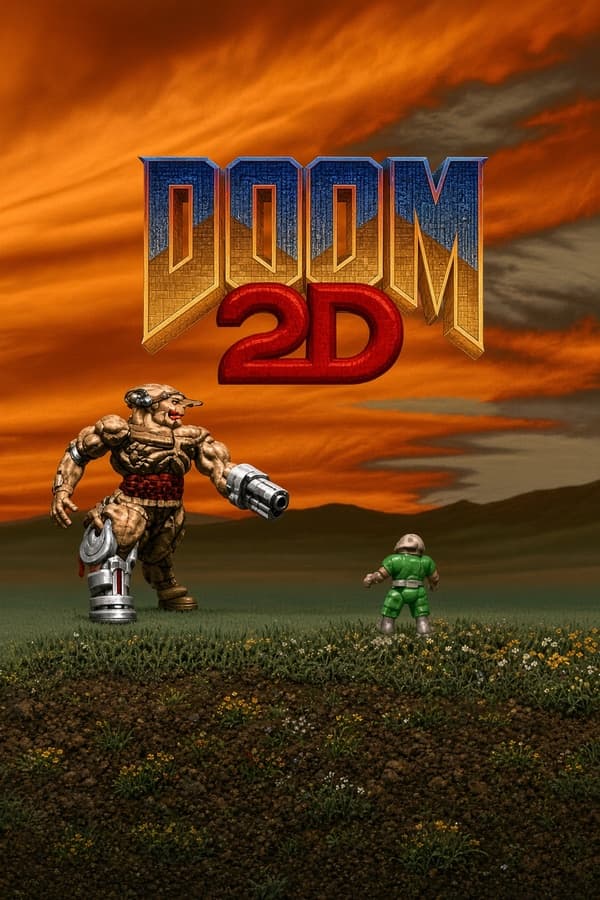
aka Doom2D
DOOM 2D takes id Software's classic 3D engine, strips away the third dimension, and flattens the demon invasion into a chaotic, side-scrolling platform shooter.
When three teenagers from the Moscow area operating under the banner Prikol Software built DOOM 2D in 1996, they did not try to reimagine how a demonic invasion should feel. They ripped the sprites, sound effects, and weapon assets directly out of id Software's WAD files, rewrote the logic in C, C++, and Assembly, and forced the entire arsenal into a flat plane. The result is an unofficial 1996 action game that sits somewhere between a technical marvel and an exercise in pure impulse.
You drop into each level as Doomguy with the pistol out, surrounded by identical pixel-art imp graphics, brown wall textures, and familiar lift noises. Instead of aiming with a keyboard and mouse across three-dimensional rooms, you run, jump, and shoot horizontally while dodging fireballs and hitscan gunfire on two axes. Every weapon makes the exact noise you remember, from the heavy double-barrel report of the super shotgun to the low hum of the plasma rifle.
What makes the transition bizarre is how faithful the enemy logic remains despite the shift to side view 2D scrolling. Pinky demons still charge straight at you to bite, cacodemon sprites float through air pockets to drop plasma balls, and arch-vile line-of-sight attacks still catch you if you fail to break cover behind a solid block. The familiar rhythm of circle-strafing is gone, replaced entirely by vertical positioning and rapid jumps.
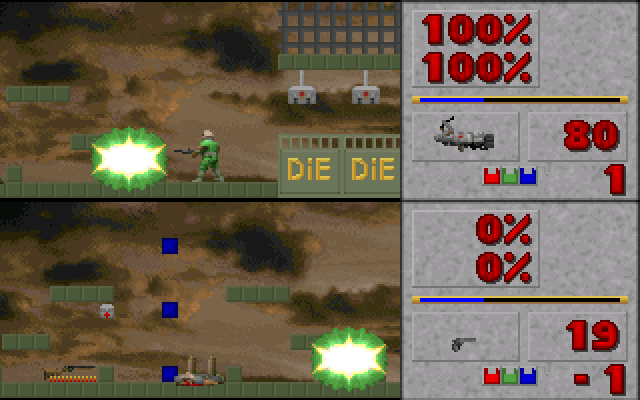
The single mechanical choice that defines playing this DOOM 2D MS-DOS game is its complete lack of floor traction. The moment you push a direction key, Doomguy launches forward, but letting go of the key does not bring you to a halt. You slide across flat steel floors and narrow ledges as if the entire facility were coated in liquid butter, drifting straight into hazardous floor traps or enemy projectiles you meant to dodge.
This sliding movement completely alters how combat plays out. Jumping onto a narrow three-tile ledge to hit a switch requires counter-steering in mid-air just to kill your forward momentum. If you overshoot, you fall right off the edge into acid pools or onto a pile of waiting former human commandos. Combat turns into a constant struggle between landing hits on flying cacodemons and desperately tapping the opposite movement key to keep yourself from sliding off safe ground.
When you stack this slide-heavy movement on top of tight corridors, the difficulty spikes instantly. Broad open arenas give you room to drift around fireballs, but narrow shaft sections demand absolute precision that the physics engine actively resists giving you. It creates a love-it-or-hate-it handling feel that dominates every single room in the campaign.
Level progression follows the classic formula of keycards, doors, and hidden switches, but the side view perspective makes navigation notoriously disorienting. Levels function as sprawling, maze-like screens connected by teleporters, shafts, and locked doors. You might press a wall switch on the far left side of a map, only to hear a distant lift lower somewhere off-screen with zero visual indicator telling you which path just opened up.
This layout leads to frequent backtracking through cleared corridors while hunting for a single missed blue door or an obscured button hidden behind structural blocks. Instant deaths are common, usually triggered by jumping blind into pit traps or crushing ceiling blocks that leave no time to react. The trial-and-error pacing means your first run through a level is mostly spent learning where the lethal layout surprises are hidden.
Then there are the boss drops. Around Level 5, the game drops a giant Cyberdemon from the ceiling directly on top of your position, giving you a fraction of a second to drift out of the way before a rocket takes off your entire health bar. Moments like that highlight both the developer's brutal sense of humor and the unforgiving nature of the level design.
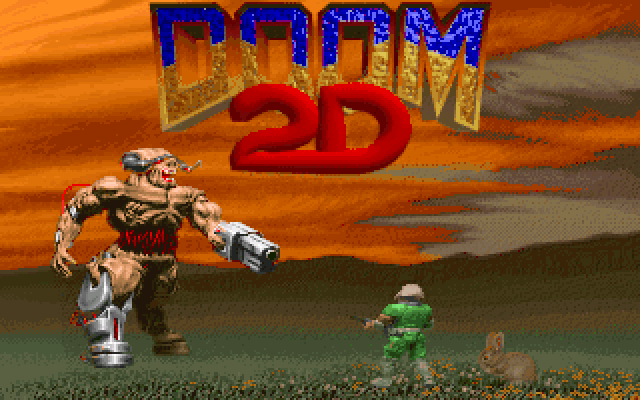
Where the engine shines brightest is in its local multiplayer support. Prikol Software built a two-player simultaneous mode right into the DOS executable, offering both co-op campaign play and split-screen deathmatch matches on a single keyboard. Navigating the treacherous level traps while competing with a friend for shotgun shells and supercharge spheres creates an entirely different kind of chaos.
The release also included a custom map editor packed directly into the directory, complete with its original user interface in untranslated Russian. Despite the language barrier for international players, the editor was flexible enough to fuel a dedicated community for years, spawning spiritual sequels like Doom2D: Forever and dedicated online multiplayer ports that kept the core mechanics alive long after the original MS-DOS release.
DOOM 2D is not a smooth, modern retro homage; it is a raw, slippery piece of fan-made software history that hits hard and refuses to apologize for its ice-like physics. What it lacks in refined platforming controls, it makes up for in sheer ambition, cramming heavy weapons, famous sound effects, complex levels, and split-screen action into a tiny package. If you can master the sliding motion, cleaning out a room full of demons with a double-barreled shotgun from a side view perspective feels immensely satisfying.
You can play DOOM 2D online right here, running DOOM 2D free in your browser with zero setup required. Modern players usually expect standard jump-and-run physics, but you will need to get used to counter-steering your jumps immediately if you want to survive past the first few level mazes. Launch the game, grab the shotgun, and keep a thumb firmly on the opposite arrow key the moment your boots hit the floor.
How DOOM 2D is played — the keys the game listens to, grouped by what they do.
Highlighted keys are mapped — hover or tap one to see what it does.
Key bindings for basic gameplay actions (movement, shooting) are missing from the available documentation excerpts.
The on-screen keyboard and gamepad mapping the browser player uses on a phone, a tablet or a controller, as opposed to the real keys above. $PRO members make their own in the player and share them here; anyone can pick one to play with.
Cheat codes, console commands and memory pokes for DOOM 2D — each one verified and attributed.
Sign in to submitDOOM 2D takes id Software's classic 3D engine, strips away the third dimension, and flattens the demon invasion into a chaotic, side-scrolling platform shooter.
When three teenagers from the Moscow area operating under the banner Prikol Software built DOOM 2D in 1996, they did not try to reimagine how a demonic invasion should feel. They ripped the sprites, sound effects, and weapon assets directly out of id Software's WAD files, rewrote the logic in C, C++, and Assembly, and forced the entire arsenal into a flat plane. The result is an unofficial 1996 action game that sits somewhere between a technical marvel and an exercise in pure impulse.
You drop into each level as Doomguy with the pistol out, surrounded by identical pixel-art imp graphics, brown wall textures, and familiar lift noises. Instead of aiming with a keyboard and mouse across three-dimensional rooms, you run, jump, and shoot horizontally while dodging fireballs and hitscan gunfire on two axes. Every weapon makes the exact noise you remember, from the heavy double-barrel report of the super shotgun to the low hum of the plasma rifle.
What makes the transition bizarre is how faithful the enemy logic remains despite the shift to side view 2D scrolling. Pinky demons still charge straight at you to bite, cacodemon sprites float through air pockets to drop plasma balls, and arch-vile line-of-sight attacks still catch you if you fail to break cover behind a solid block. The familiar rhythm of circle-strafing is gone, replaced entirely by vertical positioning and rapid jumps.
The single mechanical choice that defines playing this DOOM 2D MS-DOS game is its complete lack of floor traction. The moment you push a direction key, Doomguy launches forward, but letting go of the key does not bring you to a halt. You slide across flat steel floors and narrow ledges as if the entire facility were coated in liquid butter, drifting straight into hazardous floor traps or enemy projectiles you meant to dodge.
This sliding movement completely alters how combat plays out. Jumping onto a narrow three-tile ledge to hit a switch requires counter-steering in mid-air just to kill your forward momentum. If you overshoot, you fall right off the edge into acid pools or onto a pile of waiting former human commandos. Combat turns into a constant struggle between landing hits on flying cacodemons and desperately tapping the opposite movement key to keep yourself from sliding off safe ground.
When you stack this slide-heavy movement on top of tight corridors, the difficulty spikes instantly. Broad open arenas give you room to drift around fireballs, but narrow shaft sections demand absolute precision that the physics engine actively resists giving you. It creates a love-it-or-hate-it handling feel that dominates every single room in the campaign.
Level progression follows the classic formula of keycards, doors, and hidden switches, but the side view perspective makes navigation notoriously disorienting. Levels function as sprawling, maze-like screens connected by teleporters, shafts, and locked doors. You might press a wall switch on the far left side of a map, only to hear a distant lift lower somewhere off-screen with zero visual indicator telling you which path just opened up.
This layout leads to frequent backtracking through cleared corridors while hunting for a single missed blue door or an obscured button hidden behind structural blocks. Instant deaths are common, usually triggered by jumping blind into pit traps or crushing ceiling blocks that leave no time to react. The trial-and-error pacing means your first run through a level is mostly spent learning where the lethal layout surprises are hidden.
Then there are the boss drops. Around Level 5, the game drops a giant Cyberdemon from the ceiling directly on top of your position, giving you a fraction of a second to drift out of the way before a rocket takes off your entire health bar. Moments like that highlight both the developer's brutal sense of humor and the unforgiving nature of the level design.
Where the engine shines brightest is in its local multiplayer support. Prikol Software built a two-player simultaneous mode right into the DOS executable, offering both co-op campaign play and split-screen deathmatch matches on a single keyboard. Navigating the treacherous level traps while competing with a friend for shotgun shells and supercharge spheres creates an entirely different kind of chaos.
The release also included a custom map editor packed directly into the directory, complete with its original user interface in untranslated Russian. Despite the language barrier for international players, the editor was flexible enough to fuel a dedicated community for years, spawning spiritual sequels like Doom2D: Forever and dedicated online multiplayer ports that kept the core mechanics alive long after the original MS-DOS release.
DOOM 2D is not a smooth, modern retro homage; it is a raw, slippery piece of fan-made software history that hits hard and refuses to apologize for its ice-like physics. What it lacks in refined platforming controls, it makes up for in sheer ambition, cramming heavy weapons, famous sound effects, complex levels, and split-screen action into a tiny package. If you can master the sliding motion, cleaning out a room full of demons with a double-barreled shotgun from a side view perspective feels immensely satisfying.
You can play DOOM 2D online right here, running DOOM 2D free in your browser with zero setup required. Modern players usually expect standard jump-and-run physics, but you will need to get used to counter-steering your jumps immediately if you want to survive past the first few level mazes. Launch the game, grab the shotgun, and keep a thumb firmly on the opposite arrow key the moment your boots hit the floor.
How DOOM 2D is played — the keys the game listens to, grouped by what they do.
Highlighted keys are mapped — hover or tap one to see what it does.
Key bindings for basic gameplay actions (movement, shooting) are missing from the available documentation excerpts.
The on-screen keyboard and gamepad mapping the browser player uses on a phone, a tablet or a controller, as opposed to the real keys above. $PRO members make their own in the player and share them here; anyone can pick one to play with.
Cheat codes, console commands and memory pokes for DOOM 2D — each one verified and attributed.
Sign in to submit