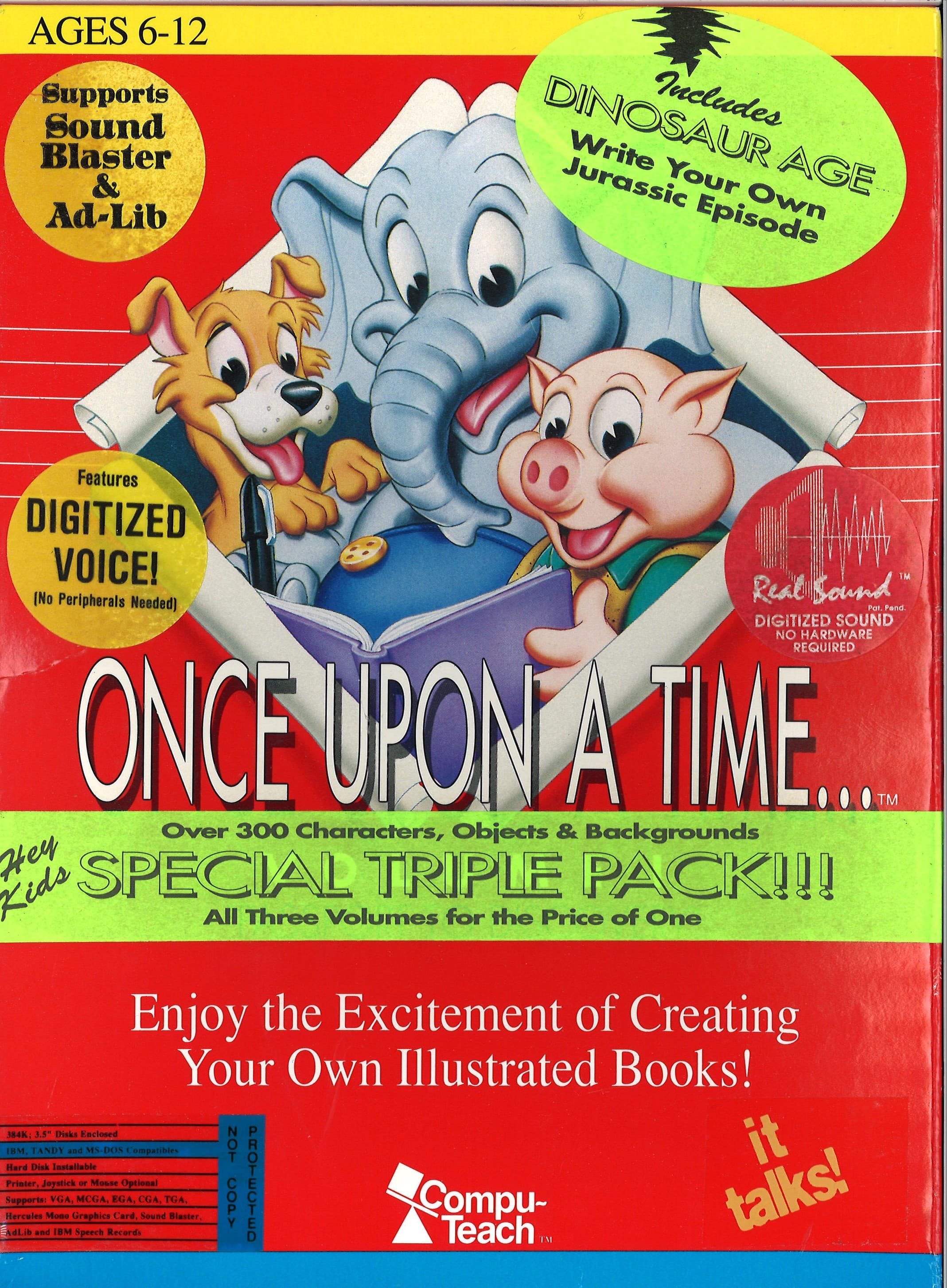
Instead of throwing monsters or platforming gaps at you, Once Upon a Time... Volume I: Passport to Discovery hands over a set of digital clip art, a screen layout tool, and a blank line of text to see what kind of story you can make out of them.
Compu-Teach took a very direct approach to edutainment when they released Once Upon a Time... Volume I: Passport to Discovery in 1990. There are no health bars, no timers, and no high scores to chase. You launch into a quiet workspace where the entire point is to arrange scenes and write accompanying text to construct your own bound picture books. It was adopted across thousands of classrooms, including specialized ESL programs, because it treated fundamental reading, spelling, and story structure as a creative sandbox rather than a series of drills.
When you sit down to use it, you pick from three thematic environments:
Once you select a backdrop, you assemble the page scene by scene. Pressing F1 brings up the full menu of available objects for that theme, letting you pull in items like a duck, a mandrill, the moon, a man, or fallen leaves. You can position these graphics around the screen, adjust their sizes to play with spatial relations and perspective, and then type your customized narrative lines at the bottom of the display.
For a title released on educational software shelves in 1990, the presentation has a distinct charm. The game opens with a quaint PC speaker melody that instantly sets a relaxed, slow-paced tone. Navigating the menus is straightforward enough for young kids, though the software includes handy shortcuts like F2, which reads out audio pronunciations for chosen items. Hearing the system voice name a "mandrel" or "moon" as you place it helped reinforce vocabulary alongside visual placement.
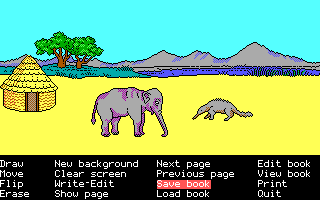
The real restriction comes from the era's technology and the limited scope of the object sets. Because the pixel graphics are fixed clips and the screen resolution of early DOS machines was modest, building complex scenes can get cluttered quickly. You can resize objects to imply depth, but you are still working within a rigid grid. If you are expecting a modern vector layout tool, the blocky art and strict memory limits will make the process feel limited very fast.
Developer and publisher Compu-Teach did not stop with this initial package. The software served as the entry point for a trilogy, followed quickly in the same year by Once Upon a Time... Volume II: Worlds of Enchantment and Once Upon a Time... Volume III: Journey Through Time. While the later installments took children into fantasy realms and historical eras, this first volume focused entirely on recognizable, everyday environments.
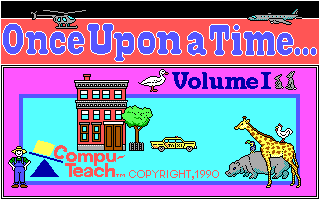
That focus on grounded settings made it ideal for early readers who needed familiar context to practice sentence building. However, for a player today, the lack of interactive gameplay elements means there is no traditional reward loop. The satisfaction comes purely from putting together a finished multi-page layout and reading back your custom story. If you do not enjoy freeform creation within old-school graphical boundaries, the novelty wears off quickly once you have sampled the three scene types.
This early PC software package gives you a clean, honest example of constructivist learning design. It does not try to hide its lesson plans behind arcade mechanics or quiz show gimmicks. The interface is responsive, the built-in sound samples via F2 do their job, and the spatial scaling mechanics were neatly implemented.
The main flaw is simply how little content exists per volume once you know the object catalog. The artwork list for each theme is small enough that you will see every graphic element after a couple of short sessions. Still, it is worth looking at if you want to see how classrooms taught computer-assisted writing before graphical user interfaces became standardized.
You can test out the complete 1990 MS-DOS release of Once Upon a Time... Volume I: Passport to Discovery free in your browser right here, with no extra hardware configuration required. If you want to experience the quiet routine of early 90s classroom computing, pick a theme, hit F1 to load up your clip art list, and see what kind of illustrated booklet you can string together.
Instead of throwing monsters or platforming gaps at you, Once Upon a Time... Volume I: Passport to Discovery hands over a set of digital clip art, a screen layout tool, and a blank line of text to see what kind of story you can make out of them.
Compu-Teach took a very direct approach to edutainment when they released Once Upon a Time... Volume I: Passport to Discovery in 1990. There are no health bars, no timers, and no high scores to chase. You launch into a quiet workspace where the entire point is to arrange scenes and write accompanying text to construct your own bound picture books. It was adopted across thousands of classrooms, including specialized ESL programs, because it treated fundamental reading, spelling, and story structure as a creative sandbox rather than a series of drills.
When you sit down to use it, you pick from three thematic environments:
Once you select a backdrop, you assemble the page scene by scene. Pressing F1 brings up the full menu of available objects for that theme, letting you pull in items like a duck, a mandrill, the moon, a man, or fallen leaves. You can position these graphics around the screen, adjust their sizes to play with spatial relations and perspective, and then type your customized narrative lines at the bottom of the display.
For a title released on educational software shelves in 1990, the presentation has a distinct charm. The game opens with a quaint PC speaker melody that instantly sets a relaxed, slow-paced tone. Navigating the menus is straightforward enough for young kids, though the software includes handy shortcuts like F2, which reads out audio pronunciations for chosen items. Hearing the system voice name a "mandrel" or "moon" as you place it helped reinforce vocabulary alongside visual placement.

The real restriction comes from the era's technology and the limited scope of the object sets. Because the pixel graphics are fixed clips and the screen resolution of early DOS machines was modest, building complex scenes can get cluttered quickly. You can resize objects to imply depth, but you are still working within a rigid grid. If you are expecting a modern vector layout tool, the blocky art and strict memory limits will make the process feel limited very fast.
Developer and publisher Compu-Teach did not stop with this initial package. The software served as the entry point for a trilogy, followed quickly in the same year by Once Upon a Time... Volume II: Worlds of Enchantment and Once Upon a Time... Volume III: Journey Through Time. While the later installments took children into fantasy realms and historical eras, this first volume focused entirely on recognizable, everyday environments.

That focus on grounded settings made it ideal for early readers who needed familiar context to practice sentence building. However, for a player today, the lack of interactive gameplay elements means there is no traditional reward loop. The satisfaction comes purely from putting together a finished multi-page layout and reading back your custom story. If you do not enjoy freeform creation within old-school graphical boundaries, the novelty wears off quickly once you have sampled the three scene types.
This early PC software package gives you a clean, honest example of constructivist learning design. It does not try to hide its lesson plans behind arcade mechanics or quiz show gimmicks. The interface is responsive, the built-in sound samples via F2 do their job, and the spatial scaling mechanics were neatly implemented.
The main flaw is simply how little content exists per volume once you know the object catalog. The artwork list for each theme is small enough that you will see every graphic element after a couple of short sessions. Still, it is worth looking at if you want to see how classrooms taught computer-assisted writing before graphical user interfaces became standardized.
You can test out the complete 1990 MS-DOS release of Once Upon a Time... Volume I: Passport to Discovery free in your browser right here, with no extra hardware configuration required. If you want to experience the quiet routine of early 90s classroom computing, pick a theme, hit F1 to load up your clip art list, and see what kind of illustrated booklet you can string together.
How Once Upon a Time... Volume I: Passport to Discovery is played — the keys the game listens to, grouped by what they do.
Highlighted keys are mapped — hover or tap one to see what it does.
Incomplete control mapping based on limited available research notes. Full manual for this MS-DOS release could not be located.
The on-screen keyboard and gamepad mapping the browser player uses on a phone, a tablet or a controller, as opposed to the real keys above. $PRO members make their own in the player and share them here; anyone can pick one to play with.
Cheat codes, console commands and memory pokes for Once Upon a Time... Volume I: Passport to Discovery — each one verified and attributed.
Sign in to submitHow Once Upon a Time... Volume I: Passport to Discovery is played — the keys the game listens to, grouped by what they do.
Highlighted keys are mapped — hover or tap one to see what it does.
Incomplete control mapping based on limited available research notes. Full manual for this MS-DOS release could not be located.
The on-screen keyboard and gamepad mapping the browser player uses on a phone, a tablet or a controller, as opposed to the real keys above. $PRO members make their own in the player and share them here; anyone can pick one to play with.
Cheat codes, console commands and memory pokes for Once Upon a Time... Volume I: Passport to Discovery — each one verified and attributed.
Sign in to submit